
This application is no longer supported. It was written in Python 2, and Python 2 has been deprecated and removed from macOS.
Alternatives: lossy option in ImageOptim, pngquant, or squoosh.app.
ImageAlpha greatly reduces file sizes of 24-bit PNG files (including alpha transparency) by applying lossy compression and conversion to a more efficient PNG8+alpha format. Such images are compatible with iOS, all browsers, and even degrade well in IE6.
ImageAlpha can achieve better quality than similar function in MacromediaAdobe Fireworks by employing latest pngquant and pngnq-s9 and alpha-channel-aware posterizer.
How to use it
Drag true-color PNG image into main part of the window. Small images should be converted instantly. If image is large, there might be progress spinner visible for few seconds.
If the quality isn't good enough, choose between Median Cut and Posterizer compression type and try Dithered mode.
If the quality is great, try reducing number of colors, which will also further reduce file size.
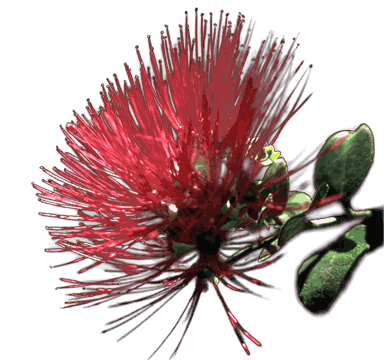 224KB 16.7mln colors
IE6-friendly alpha makes almost-opaque colors fully opaque, to make image degrade better in IE6.
When done, save the image ⌘⇧S. ImageOptim may be able to reduce file size even more.
If image color completely changes (e.g. becomes much brighter or saturated), you need to remove color profile from your PNG (convert image to sRGB/gamma 2.2 in your graphics program or remove gamma with ImageOptim.)
You can test image on different backgrounds by selecting backgrounds from the palette on the left. You can drag your own background images to that area.
“Hidden” features: background and the image are draggable. Double-click toggles between 1:1 and zoomed image. Middle-click shows the original image.
Batch processing
Available from command line. ImageAlpha is based on pngquant. You'll find compiled pngquant executable in ImageAlpha.app/Contents/MacOS directory. Alternatively, try ImageOptim-CLI.
Open Source
ImageAlpha is free, open-source software under terms of the GPL v2. Your contributions are welcome! Please check out/fork the source code (Python) and improve it! Feel free to contact me for assistance.
ImageAlpha is sponsored by PSW GROUP.
More about PNG
My article “PNG that works” explains PNG8 format, and other PNG optimisation issues in more detail.